
From invoice line to TARIC code, asking only what's needed.
Send any line of an invoice processed with Extract to the classifier. It reads the candidate tariff headings, asks you the questions that decide between them and returns the code with its reasoning, the measures that apply and a link to each regulation.
- Imports into Spain
- Guided questions
- GIRs and notes cited
- Links to EUR-Lex
Classifying isn't looking up a code. It's knowing what to ask.
An invoice description is almost never enough to reach ten digits. Between the heading and the TARIC code there are subdivisions that hinge on a fact nobody has provided yet.
Dozens of candidate headings
For a single good you have to read the possible subheadings, their chapter notes and the general rules before ruling any of them out.
The right question for the customer
The hard part is knowing which fact separates one heading from another —grain size, degree of milling, end use— and asking for it without going round in circles.
Measures spread across sources
Duties, quotas, additional duties, controls and certificates live in different places and change with the date.
The reasoning stays in someone's head
The justification is rarely written down: which rule applied, which subheading was ruled out and which regulation requires each document.
The classifier does that reading for you: it looks at the headings, asks what decides and writes the reasoning with its sources. You review and decide.
From the invoice to the measures, in five steps
From the invoice
Any line of an invoice processed with Extract goes to the classifier with what it carries: description, origin, supplier.
Candidate headings
It looks up the possible codes and applies the classification rules. About 15 seconds per new line.
Questions that decide
Only what separates one heading from another, with one-click answers.
Code with its reasoning
Suggested code, confidence level and the explanation with the rules and notes applied.
Measures and sources
Duties, quotas, controls and certificates for each TARIC code, linked to its regulation.
Every field changes something in the result
If the line comes from Extract, the form arrives filled in with what the invoice says and a link back to the document. Review it before classifying.
- Description
- What the invoice says. The more specific —what it is, what it's made of, what it's for— the better.
- Material and use
- Many subdivisions depend on the composition or the end use of the goods.
- Country of origin
- Needed to see which duties and measures apply.
- Code on the invoice
- The HS or TARIC code the supplier prints, if there is one.
- Manufacturer
- Decides the additional anti-dumping code, if any.
- Customs declaration date
- Decides which measures are in force. Leave it empty and today's date is used.
What you see when you classify a line
It asks what decides, not everything else
From what the line carries, the classifier explains what it understood and lists only the questions still needed to choose between the candidate headings, with one-click answers. Leave blank whatever you don't know. While a decisive fact is missing, the result warns you to review it carefully.
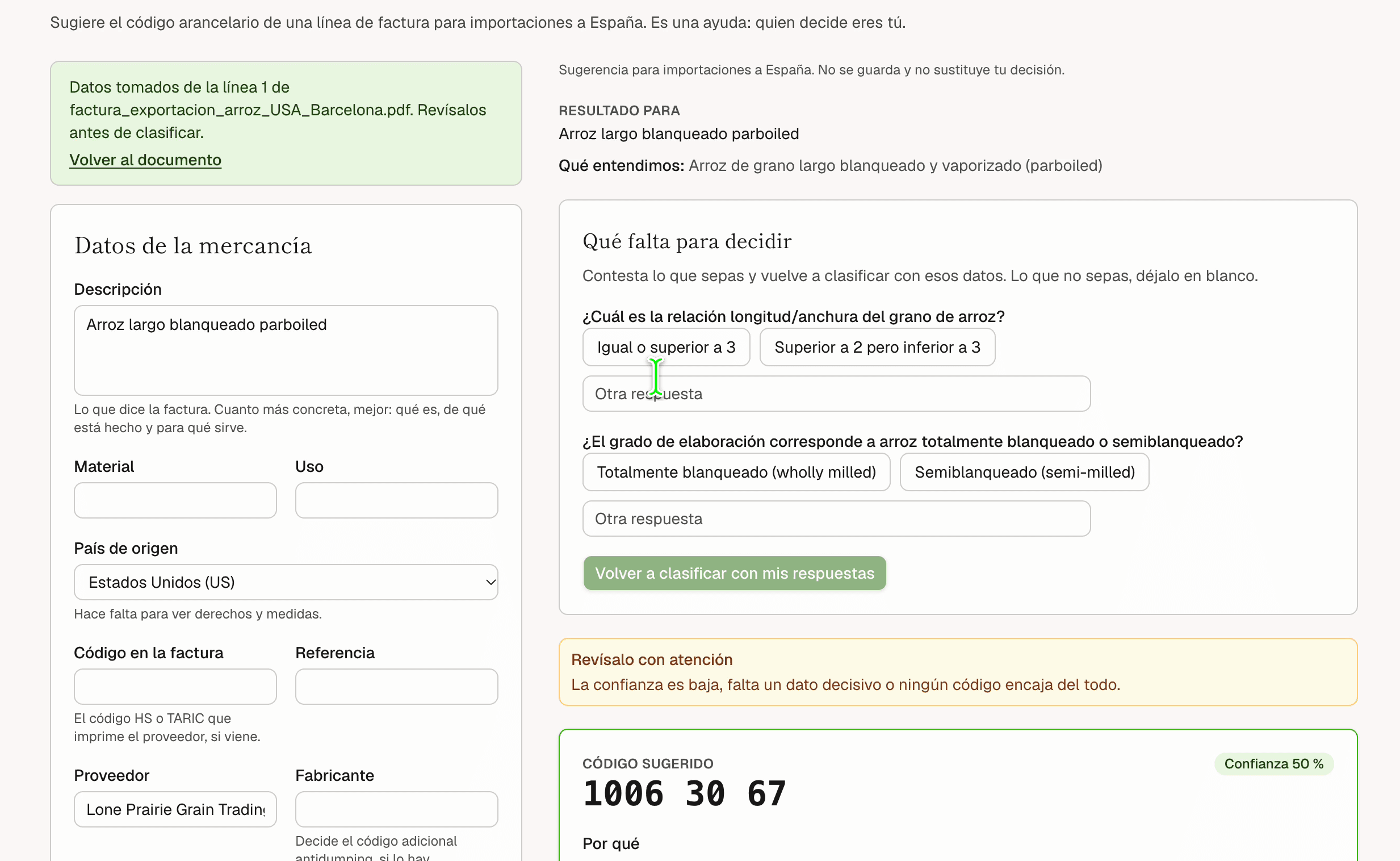
The code, with its reasoning in writing
Suggested code and confidence level. Below it, the explanation: which general interpretative rules and chapter notes applied, which heading was ruled out and why, and the nomenclature text as published. Every rule and note opens with its full text.
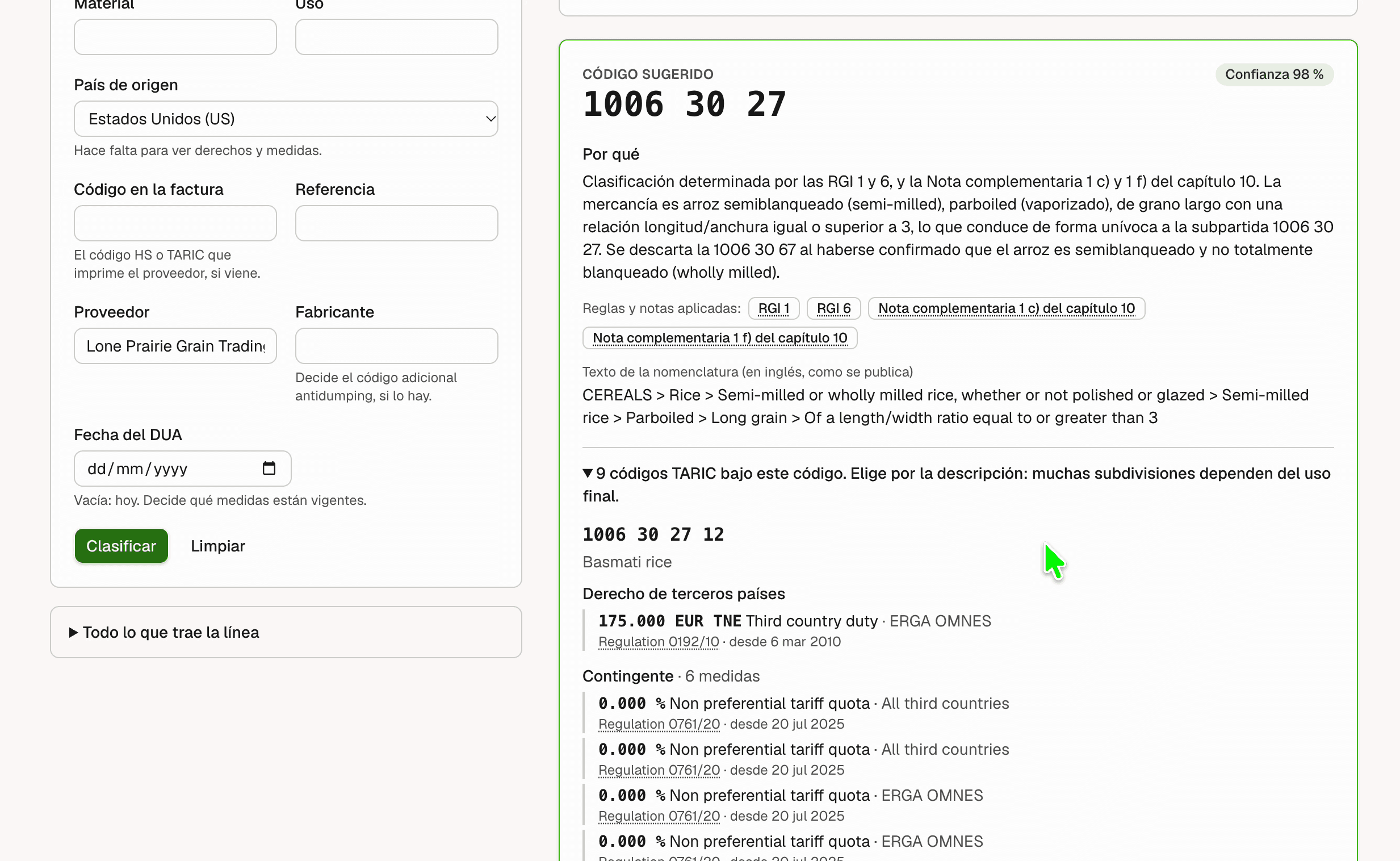
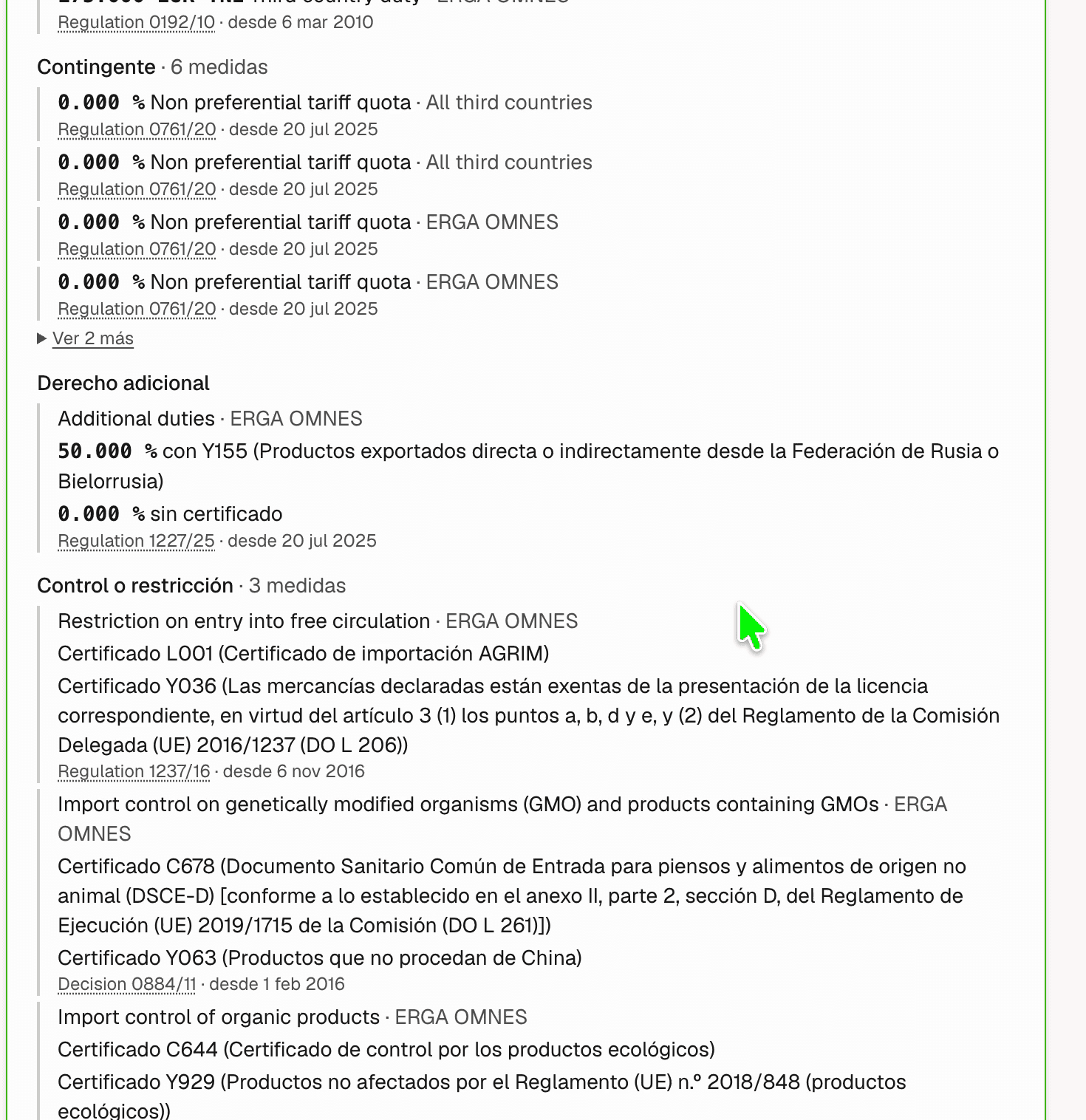
What the import requires, code by code
For each TARIC code under the subheading: third-country duty, tariff quotas, additional duties, controls and restrictions with the certificates they require, and low-value consignment fees. Every measure with its regulation and the date it applies from.
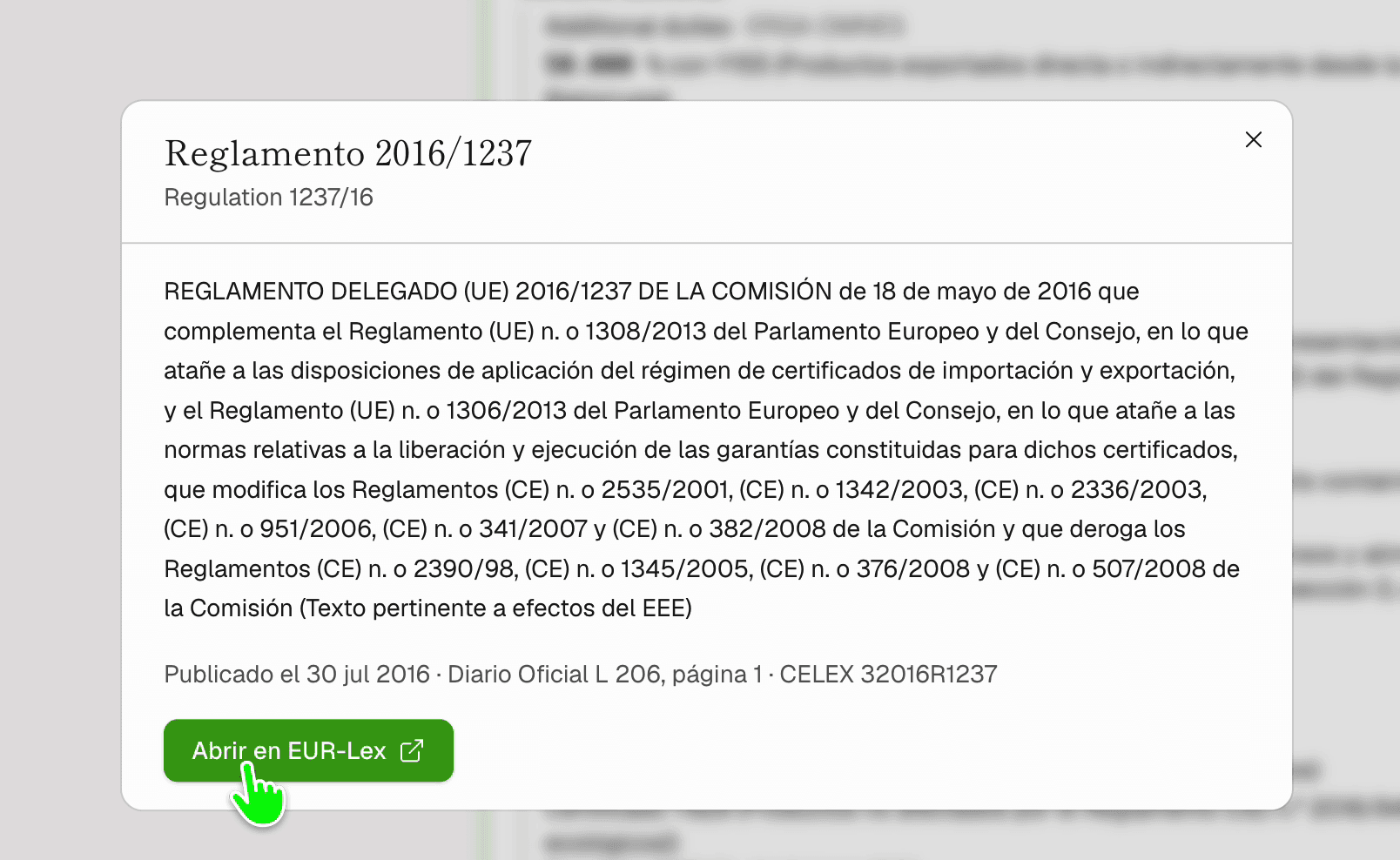
From the measure to the regulation, in one click
Every regulation or decision opens in a card with its full title, its publication in the Official Journal and its CELEX number, plus a button to the original text on EUR-Lex.
Real product screenshots, shown in Spanish. The example invoice is a demo.
Every decision, with its source next to it
The classifier doesn't ask you to take its word for it: it writes how it reached the code and links each piece to the original document.
General rules and notes
The GIRs and chapter notes applied, with their full text one click away.
Your answers, in view
What you answered appears next to the result. To change it, you classify again.
Every measure, with its regulation
Duties, quotas and controls link to the regulation or decision that sets them and say when they apply from.
Certificates and documents
The certificates each control requires —import, health, organic— with their code and description.
It's a suggestion for imports into Spain: it doesn't replace your decision, it leaves it better documented.
Bring the lines you find hardest to classify
Request a demo or send us an invoice with the difficult lines. We'll walk you through the whole flow: from invoice to code, and from code to its measures.
It's a module of Extract →
Frequently asked questions
Can't find your question? Write to us